# Manage Legend Color
Universally assign color to a legend
### **Create a new legend color**
Hover on the top right of the Dashboard editor to see all Dashboard Management options
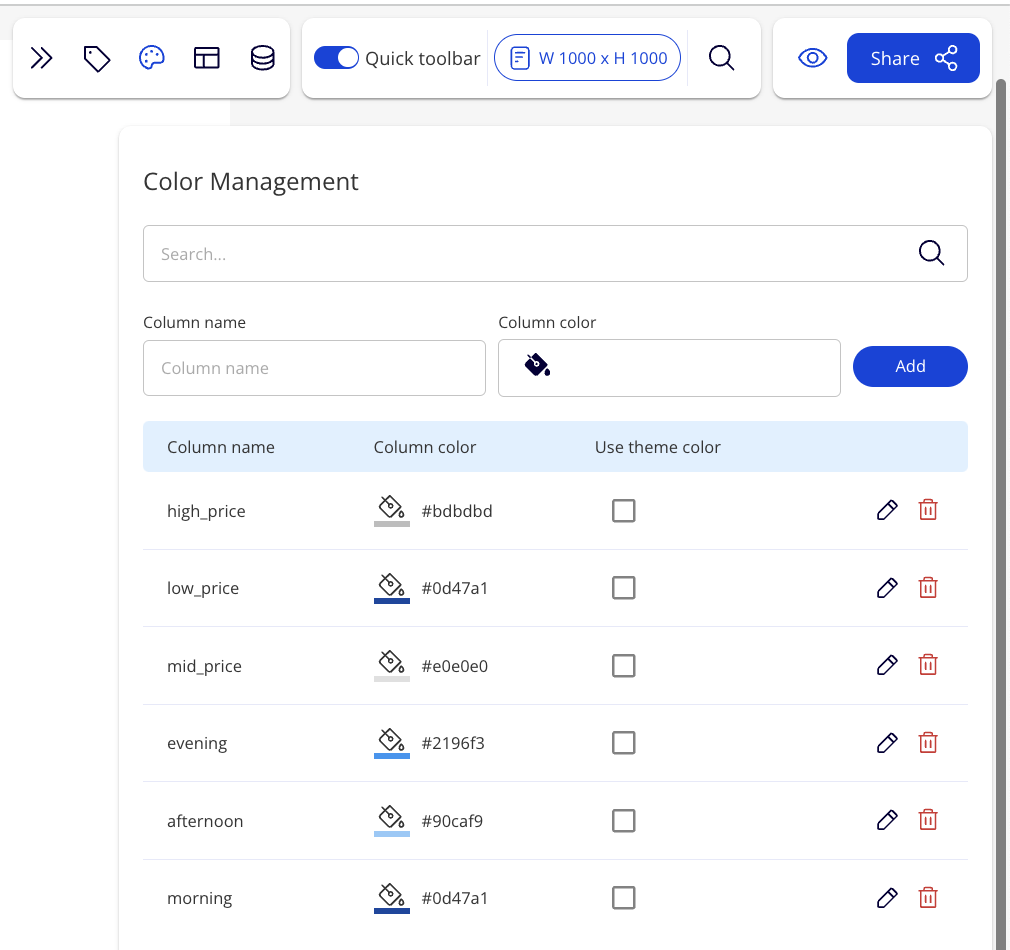
Click to set a color for the legend you want
Column name: Enter the field you want to set color for the legend
Click on icon to create the new legend color
{% hint style="info" %}
All legends color that are set in this tool will be universally updated all throughout the dashboard for all charts using the same field
{% endhint %}
To make update to a field for a single chart, you can edit fields individually for each single chart. You can delete by clicking icon